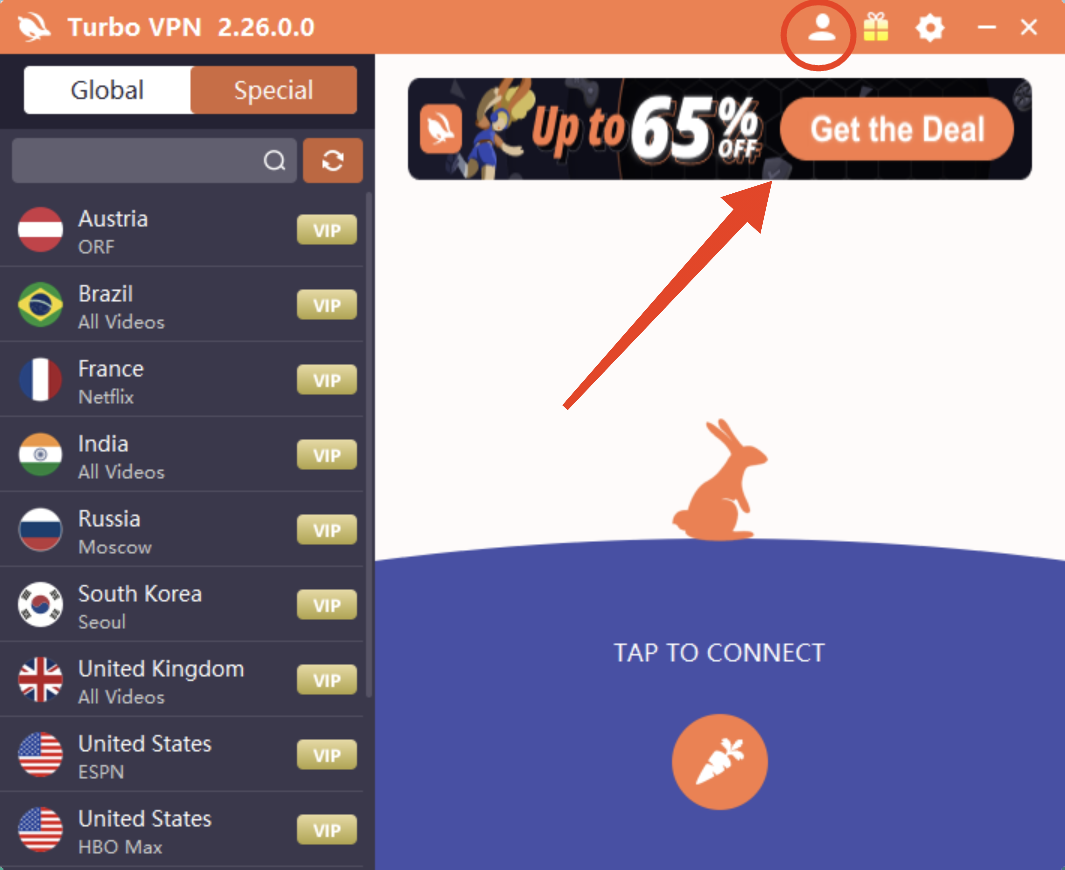
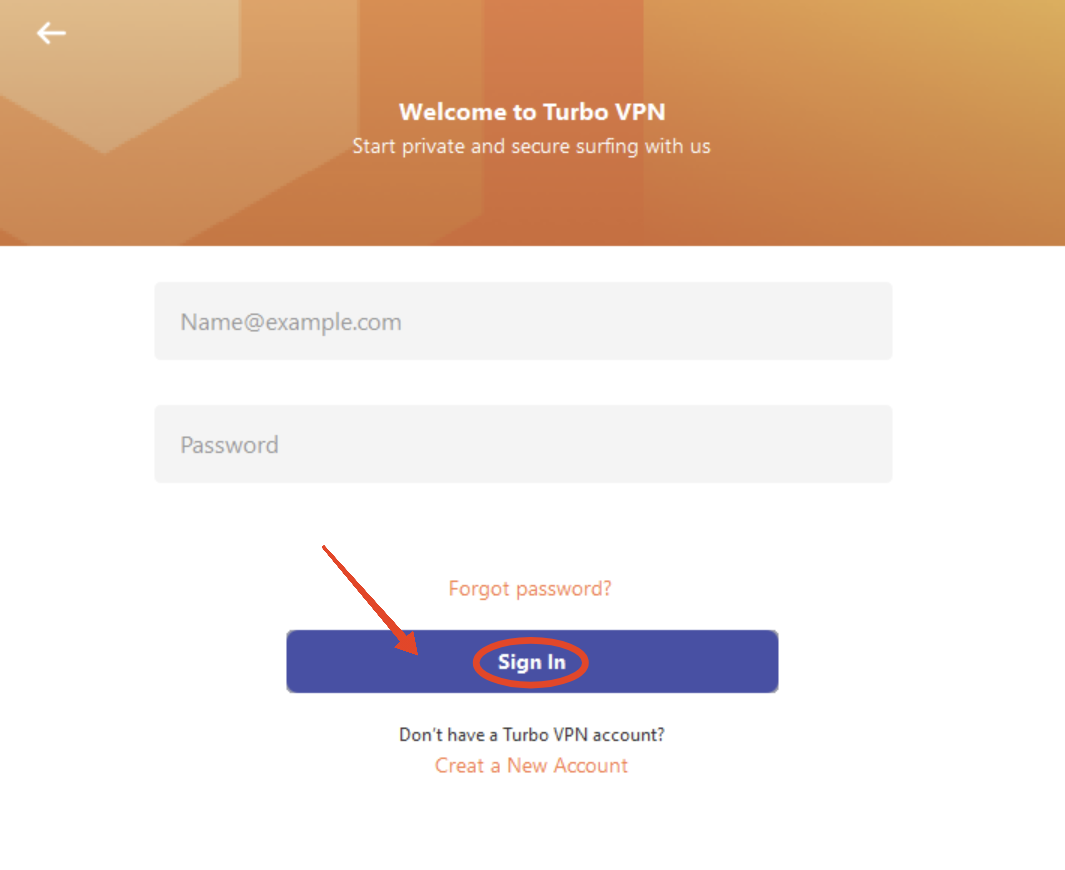
Turbo VPN Premium plan supports multiple device connections under one account. The number of devices depends on your subscription plan:
- Gold: 10 devices
- Platinum: 20 devices
The way to share your subscription is subject to where you make the purchase.
Purchased on the official website:
-
Download the Turbo VPN app on the new device.
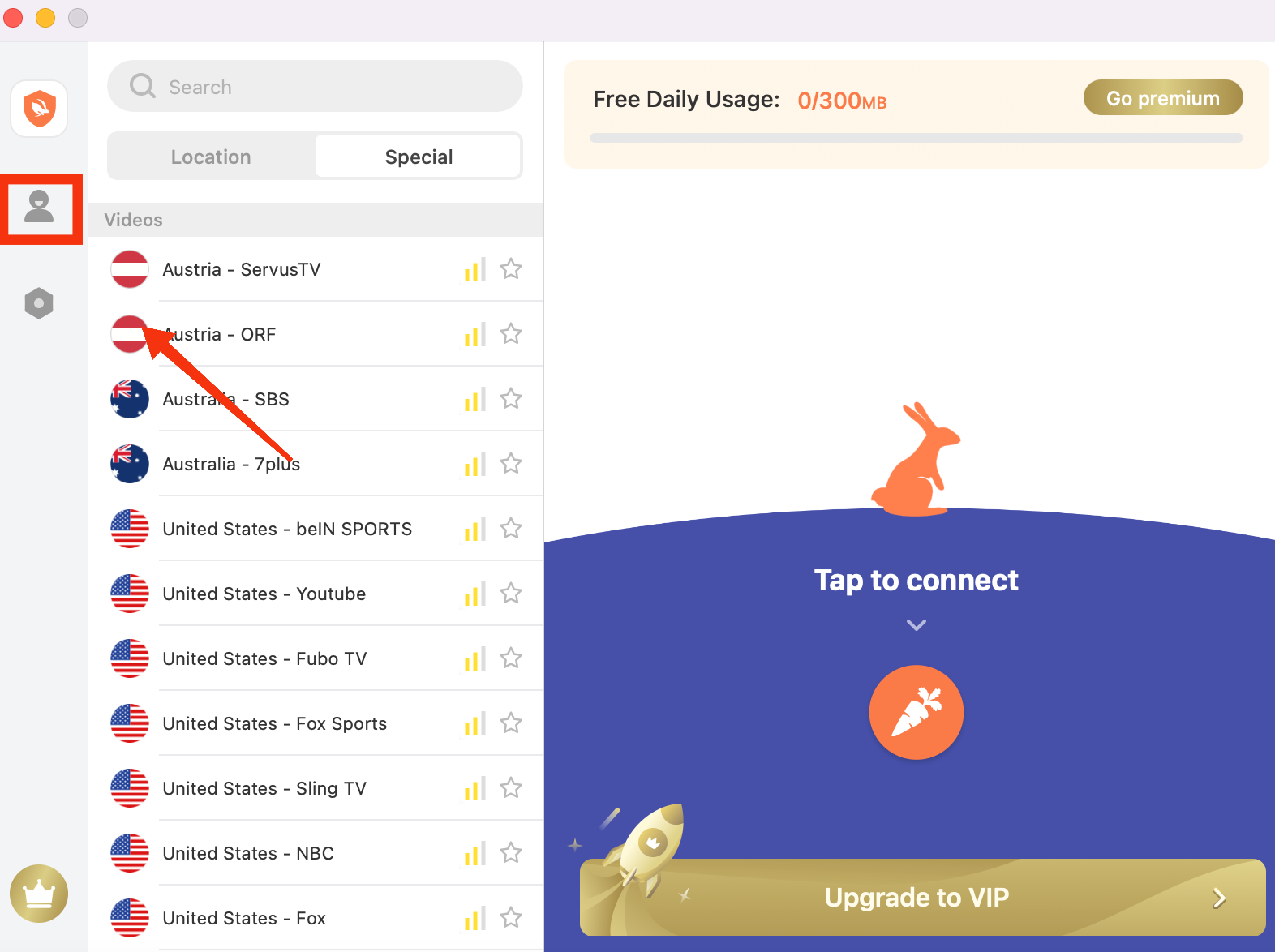
- Launch Turbo VPN and go to “Sign in/Sign up”
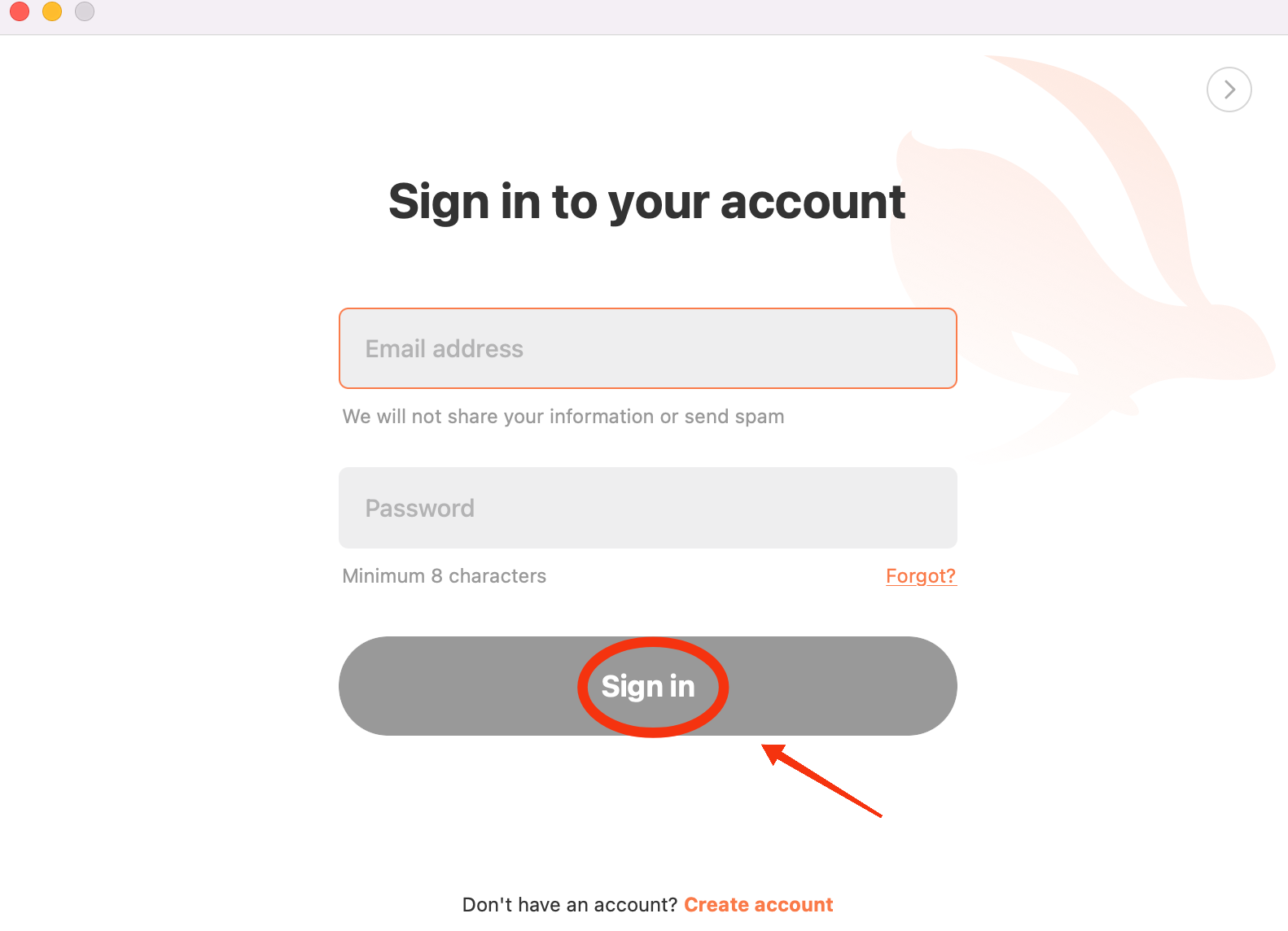
- Sign in using your purchase email address
Purchased on APP store (Google Play, Apple, Huawei, Xiaomi, etc)
-
If you have not registered an account with Turbo VPN:
- Download the Turbo VPN app on the new device.
-
Launch the App Store and log in to your account
- Restore your purchase
-
If you have registered an account with Turbo:
- Log in your Turbo account on the device you used to make the purchase.
- Download the Turbo VPN app on the new device.
- Log in your Turbo account on the new device.
How to link devices?
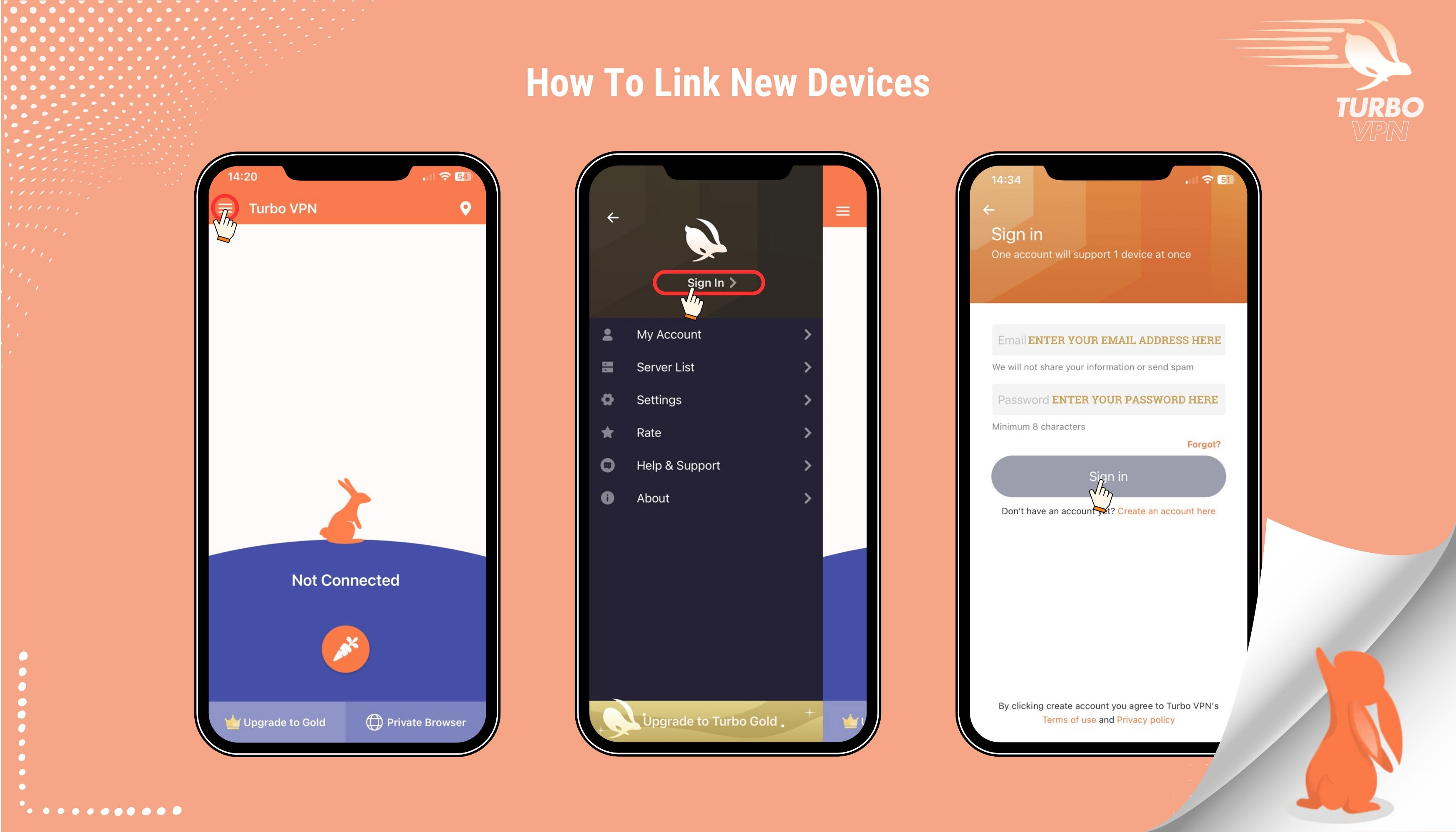
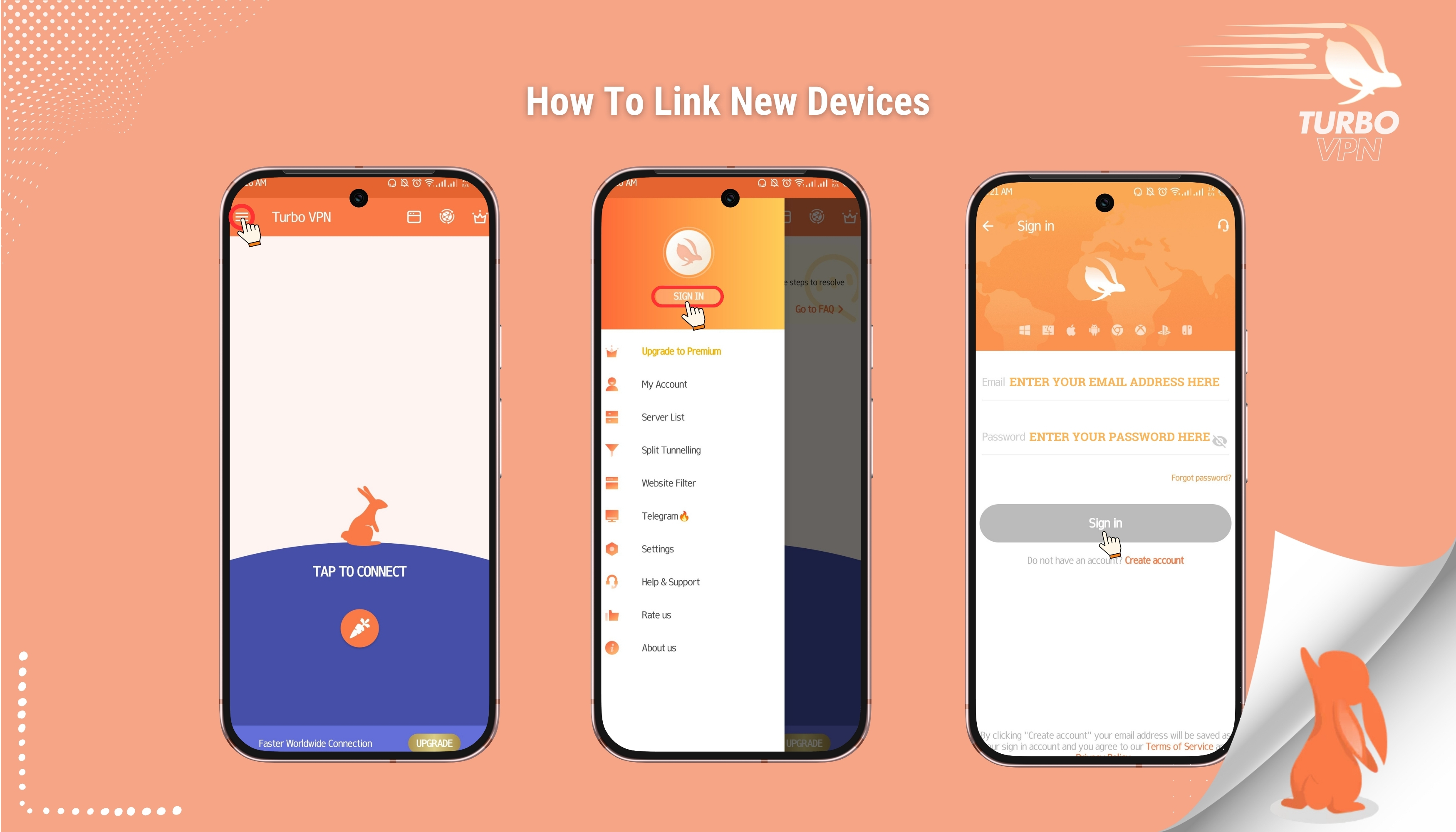
Step 1: Launch Turbo VPN and go to “Sign in/Sign up”.
Step 2: Sign in using your registered email address.
iOS:
Android:
Mac:
Windows: